Online Video Enhancer
Improve and upscale videos using AI

Enhance video quality in less than 3 minutes. No installation needed.

No credit card required
|
Trustpilot logo
Rated 4.5/5

Trusted by more than 2 million users

  • Meta logo
  • Revolut logo
  • BBC logo
  • Adobe logo
  • Sky logo
  • Lush logo
  • Kapwing logo
  • BBDO logo
  • Associated Press logo
  • CNN logo
  • Cambridge University logo
  • L'Oreal logo
  • CERN logo
  • Autoreel logo

Enhance Video Quality

There are thousands of reasons why videos can be of poor quality.

Reasons don't matter to us. We are here to provide the best AI powered video enhancer so you can enjoy all videos in the highest 4K quality.


Quickly enhance lots of videos

Whether your archive consists of a few home videos, or you're an organization with thousands of hours of footage, we got you covered.

We use GPU accelerated cloud servers that can process hundreds of videos at once and 100x faster than the average office computer.
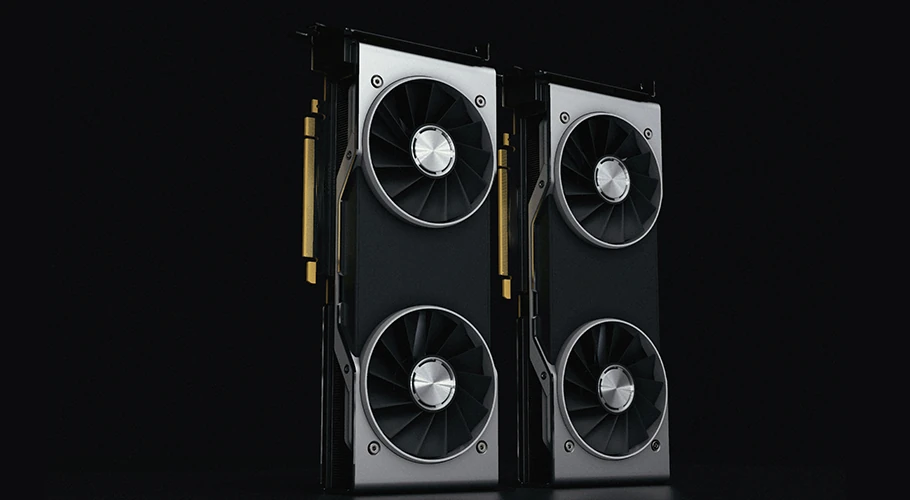
Fancy illustraiion of a GPU and server cluster

Up to 4x resolution upscaling

Our AI has been trained on thousands of videos to learn how to enhance and upscale videos.

Unlike non-AI upscaling software, it can increase resolution up to 4x while preserving details and sharpness.

Boost framerate up to 8x

60 frames per second is the new norm.

Now you can convert any video to 60 FPS or more with just a few clicks. Or create silky smooth slow motion videos without worrying about stuttering artifacts.

Stabilize Videos

Stabilize any shaky video with just a few clicks. GoPro, iPhone, or regular camera footage... all are supported.

TensorPix uses AI to intelligently analyze shaky scenes and apply video stabilization when needed. Stabilization process is completely automated, so you just have to upload the video, select Stabilization filter and click Enhance.

Enhancing video quality has never been easier

select video icon

1 - Upload your videos

Select any video on your computer or phone and upload it to TensorPix.
select menu icon

2 - Select AI filters

After uploading, select one or more of the AI filters. Each filter can fix specific quality problem.
glasses pixelated icon

3 - Enhance!

Click enhance, wait for the video enhancing to finish and download enhanced videos.

Frequently Asked Questions

  • Who uses online video enhancers?
    Content creators, videographers, and digital professionals across various industries rely on online video enhancers to improve their visual content quality. Social media influencers use these tools to create crisp, engaging posts that capture audience attention. Business marketers enhance promotional videos for better brand presentation, while educators and trainers improve instructional content clarity. Film enthusiasts restore old family videos or enhance personal recordings, and professionals in real estate, e-commerce, and journalism utilize video enhancement to create compelling visual narratives that drive engagement and conversions.
  • What is Video Enhancing Used For?
    Video enhancement serves multiple quality improvement purposes in digital content creation. Resolution upscaling transforms low-quality footage into high-definition content, while noise reduction eliminates graininess and visual artifacts. Color correction and brightness optimization restore faded or poorly lit videos to their intended vibrancy. Stabilization features smooth shaky footage, and detail sharpening brings clarity to blurry content. These enhancements are essential for professional presentations, social media content optimization, archival footage restoration, and creating broadcast-quality material from amateur recordings.
  • How Does Our AI Video Enhancing Work?
    Our artificial intelligence video enhancement technology employs advanced machine learning algorithms trained on millions of high-quality video samples. The deep learning neural networks analyze each frame to identify patterns, textures, and visual elements that need improvement.
  • Why Choose TensorPix Video Enhancer?
    TensorPix stands out through cutting-edge AI technology that delivers professional-grade results without requiring technical expertise. Our proprietary enhancement algorithms provide superior quality improvements compared to similar video enhancers, with faster processing times and batch enhancement capabilities. User-friendly interface design makes video enhancement accessible to everyone, while cloud-based processing eliminates hardware limitations. Multiple format support, privacy protection, and cost-effective pricing make TensorPix the preferred choice for individuals and businesses seeking reliable, high-quality video enhancement solutions.
  • How to Improve Video Quality?
    To improve video quality, simply upload your clip to TensorPix. Our AI automatically analyzes the content and applies the optimal settings to enhance resolution, boost detail clarity, and deliver professional-quality results with minimal effort.
  • Is TensorPix AI video enhancer free to use?
    Yes! You can enhance approximately 5 minutes of video with the free Credits you get when signing up.
  • Do I Lose Quality After Enhancing Videos?
    No, video enhancement improves quality rather than making it worse. Our AI improves the quality without losing details. In fact, TensorPix restores and adds clarity, sharpness, and resolution to your original video, giving you a noticeably better result.
  • Can I use the AI video enhancer on my phone?
    Absolutely. TensorPix is mobile-friendly and works in your browser—no app needed. Since all processing happens in the cloud, your phone doesn't need to be powerful to get great results. iPhone, Android, iPad - they all work great. You can enhance videos directly from any device with internet connection.
  • Can I Enhance Very Old or Low-Quality Videos?
    Yes! Old, low-quality videos often benefit the most from AI enhancement. Grainy home movies, old phone recordings, low-resolution downloads - our AI is specially trained to improve these types of videos. While we can't perform miracles, you'll be surprised at how much clearer and more vibrant old videos can look after enhancement. Family videos from years ago can look almost like they were shot yesterday

Explore more Products from TensorPix

  • AI Video Quality Enhancer

    Upscale videos up to 4K and enhance video quality. 100% online and easy to use.

    Enhance Videos
  • Real Estate Video Maker

    Turn listing photos into polished real estate videos in 10 minutes. Get cinematic videos without touching a video editor.

    Create Listing Video
  • TensorShots

    Auto Social Media Video Creator. Turn photos, clips, listings, and brand assets into ready-to-edit short videos for social media.

    Create Videos
  • Online Video Compressor

    Reduce video file size without compromising quality. Save disk space, send, and upload videos faster.

    Compress Videos
  • AI Image Generator

    Generate photos, artwork, illustrations from text descriptions in 4K. Edit images with simple prompts.

    Generate Now
  • 4K AI Video Generator

    Turn your ideas into 4K videos from text and image inputs using simple prompts. No technical expertise needed.

    Generate Videos
  • Upscale & Enhance API

    Add video enhancing and upscaling into your app or product via API Integration.

    Tell me More

Check out user testimonials

  • Read this review on Trustpilot
    I have used the color restore and AI stabilization on a few dance videos for social media and I am really happy with the results, I uploaded 4K video so it takes a bit of time, but I like that they send me an email and enhance in the background so that I don't have to wait around.
    Tanya Ariana Bendis
    Marketing Director
  • It’s a great tool for increasing resolution and upscaling, especially for those without the necessary hardware. Since AI training and model usage can be prohibitively expensive for most, packaged online tools like TensorPix Enterprise offer a cost-effective and accessible solution. It’s a great option for anyone looking for a simple and straightforward way to use AI video enhancers without prior experience!

    Zeng Chao
    FX Artist
  • Read this review on Trustpilot
    Fantastic AI video upscaler with easy to use UI! Significantly better results than with Topaz and am able to process multiple videos at once, resulting in major time savings. A life saver.
    Anne Spalter
    Owner of Anne Spalter Studios
  • As AI evolves and improves, TensorPix will likely expand, offering even more sophisticated insights and analyses to filmmakers and studios like ours. For now, the power of TensorPix AI serves as a testament to the innovative ways technology can be utilized to strengthen the human experience and our connection to the stories we love. It allows us to enhance old looking films and show them to our audience in high quality with nearly to no artifacts. TensorPix is by far the best web-based video and photo enhancement service and is going to change the filmmaking world. Do yourself a favor and use it!

    Matan Uziel
    Executive Producer

Ready to make better video content?

Join millions of creators already using TensorPix