












AI Video Denoise Online

Remove various forms of noise from videos. Perfect for noisy night shots or low-light videos.

No credit card required
|
Trustpilot logo
Rated 4.5/5

Trusted by more than 2 million users

  • Meta logo
  • Revolut logo
  • BBC logo
  • Adobe logo
  • Sky logo
  • Lush logo
  • Kapwing logo
  • BBDO logo
  • Associated Press logo
  • CNN logo
  • Cambridge University logo
  • L'Oreal logo
  • CERN logo
  • Autoreel logo

Get Professional Polish

Imagine having the power to make your videos look professionally polished with just a few clicks.

TensorPix’s intuitive video denoiser transforms noisy, low-quality footage into crisp, clear visuals. Elevate your content with the finesse it deserves.
No Expensive Gear Needed

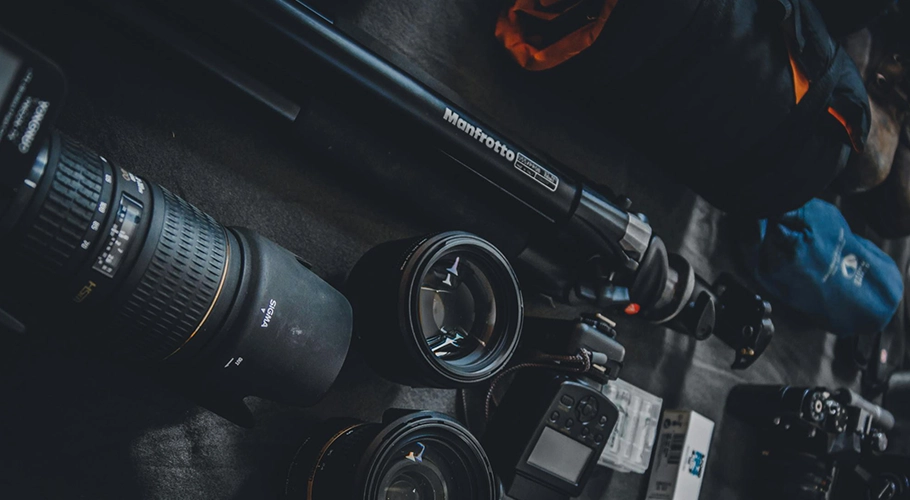
Elevating your video content doesn’t require costly equipment. With TensorPix, you can denoise and polish your videos with ease.

Perfect for creators on a budget, our AI-powered tool removes unwanted noise, making your content look sleek and professional

Feature image

Bring Nighttime Videos to Life

Capturing special moments at night can be a challenge. Imagine recording a beautiful outdoor concert or a cozy campfire gathering with friends, only to find that the footage is plagued by darkness and noise.

With TensorPix, you can transform those dim, grainy videos into clear, vibrant memories. Our advanced denoising technology enhances every frame, bringing out the lost details.

Denoise Videos?

How to icon

1 - Upload your noisy videos

Select any video on your computer or phone and upload it to TensorPix.
How to icon

2 - Select AI filters

After uploading, select one or more of the AI filters. Each filter can fix specific quality problem.
How to icon

3 - Enhance!

Click enhance, wait for the video enhancing to finish and download grain-free videos.
No credit card required
|
Trustpilot logo
Rated 4.5/5

Frequently Asked Questions

  • What types of noise can AI video denoiser remove?
    AI video denoiser can remove different types of noise, including grain, pixelation, and color noise. They can also handle temporal noise, which is noise that appears across multiple frames, and spatial noise, which is noise within a single frame.
  • Does AI video denoiser work on all types of footage?
    AI video denoiser are effective on a wide range of footage, including low-light videos, webcam recordings, and smartphone clips. However, their effectiveness may vary depending on the severity and type of noise and the quality of the original footage.
  • Will using an AI video denoiser affect the quality of my video?
    The goal of an AI video denoiser is to improve the quality of your video by reducing noise without affecting essential details. TensorPix’s denoiser maintains the sharpness and clarity of the footage while removing unwanted noise. However, excessive denoising can sometimes lead to a loss of detail or a plastic-like appearance.
  • Can I denoise videos online for free?
    Yes! TensorPix offers a few free credits so you can test our AI video denoising tool before committing to buying credits or subscription plans.

Check out more use cases

  • Enhance Video Chat Recordings

    Forget noisy, blurry and low resolution video calls. Create high quality webcam recordings with any laptop camera.

  • Meet Latest Quality Standards

    Convert any SD footage to HD or even 4K. Prepare your images and videos for the newest displays and TVs.

  • Upscale & Enhance Old Videos and Images

    Restore details and remove artifacts, blur and noise. Make your old videos and images look like new.

  • Interpolate low FPS videos with AI

    Goodbye choppy, low-quality video playback. Transform low FPS videos into 60 FPS, silky smooth footage

  • Unblur Videos Online

    Turn blurry footage into stunning clarity with our AI technology. Enhance every detail of your video, from action shots to personal memories, effortlessly and affordably.

  • Stabilize Shaky Videos

    Convert shaky footage into smooth, professional-quality video. Eliminate camera wobble and achieve consistently clear results.

  • Denoise Videos

    Remove various forms of noise from videos. Perfect for noisy night shots or low-light videos.

  • Upscale and Enhance AI Generated videos

    Enhance AI Video quality in less than 3 minutes. Upscale up to 4K and make your videos stand out among others.

Read the latest blog posts

Check out user testimonials

  • Read this review on Trustpilot
    I have used the color restore and AI stabilization on a few dance videos for social media and I am really happy with the results, I uploaded 4K video so it takes a bit of time, but I like that they send me an email and enhance in the background so that I don't have to wait around.
    Tanya Ariana Bendis
    Marketing Director
  • It’s a great tool for increasing resolution and upscaling, especially for those without the necessary hardware. Since AI training and model usage can be prohibitively expensive for most, packaged online tools like TensorPix Enterprise offer a cost-effective and accessible solution. It’s a great option for anyone looking for a simple and straightforward way to use AI video enhancers without prior experience!
    Zeng Chao
    FX Artist
  • Read this review on Trustpilot
    Fantastic AI video upscaler with easy to use UI! Significantly better results than with Topaz and am able to process multiple videos at once, resulting in major time savings. A life saver.
    Anne Spalter
    Owner of Anne Spalter Studios
  • As AI evolves and improves, TensorPix will likely expand, offering even more sophisticated insights and analyses to filmmakers and studios like ours. For now, the power of TensorPix AI serves as a testament to the innovative ways technology can be utilized to strengthen the human experience and our connection to the stories we love. It allows us to enhance old looking films and show them to our audience in high quality with nearly to no artifacts. TensorPix is by far the best web-based video and photo enhancement service and is going to change the filmmaking world. Do yourself a favor and use it!
    Matan Uziel
    Executive Producer

Explore more Products from TensorPix

  • AI Video Quality Enhancer

    Upscale videos up to 4K and enhance video quality. 100% online and easy to use.

    Enhance Videos
  • Real Estate Video Maker

    Turn listing photos into polished real estate videos in 10 minutes. Get cinematic videos without touching a video editor.

    Create Listing Video
  • TensorShots

    Auto Social Media Video Creator. Turn photos, clips, listings, and brand assets into ready-to-edit short videos for social media.

    Create Videos
  • Online Video Compressor

    Reduce video file size without compromising quality. Save disk space, send, and upload videos faster.

    Compress Videos
  • AI Image Generator

    Generate photos, artwork, illustrations from text descriptions in 4K. Edit images with simple prompts.

    Generate Now
  • 4K AI Video Generator

    Turn your ideas into 4K videos from text and image inputs using simple prompts. No technical expertise needed.

    Generate Videos
  • Upscale & Enhance API

    Add video enhancing and upscaling into your app or product via API Integration.

    Tell me More

Ready to make better video content?

Join millions of creators already using TensorPix