









AI Image Outpainting: Expand Your Photos Beyond the Frame

Bring new objects into any shot, blend photos like a pro, and stretch your canvas without losing detail.

No credit card required
|
Trustpilot logo
Rated 4.5/5

Trusted by more than 3 million users

  • Meta logo
  • Revolut logo
  • BBC logo
  • Adobe logo
  • Sky logo
  • Lush logo
  • Kapwing logo
  • BBDO logo
  • Associated Press logo
  • CNN logo
  • Cambridge University logo
  • L'Oreal logo
  • CERN logo
  • Autoreel logo

Free AI Landscape Outpainting Generator

What is AI outpainting? It's like giving your camera a time machine to recapture what was just outside the frame.

Our outpainting AI online tool specializes in landscapes, portraits, product shots, and everything in between. The technology doesn't just stretch pixels; it understands context. Try our outpainting free online tool to make the picture bigger.

Expand Images With AI Online in One Click

Our AI image extender tool uses advanced algorithms to intelligently generate what exists beyond your photo's edges.

Upload any photo, choose how much wider you want it, and watch as our online AI image expander creates natural-looking extensions. Supports up to 4K image generation for professional-quality results.

AI Photo Outpainting That Actually Works

Most AI image expander online tools give you weird, dreamy results that scream "computer generated." Not here. Our AI enlarge photo technology creates realistic extensions that feel like they were always part of your shot. Perfect for social media content that needs specific dimensions, real estate photos that need more room to breathe, or personal photos you wish captured more of the moment.

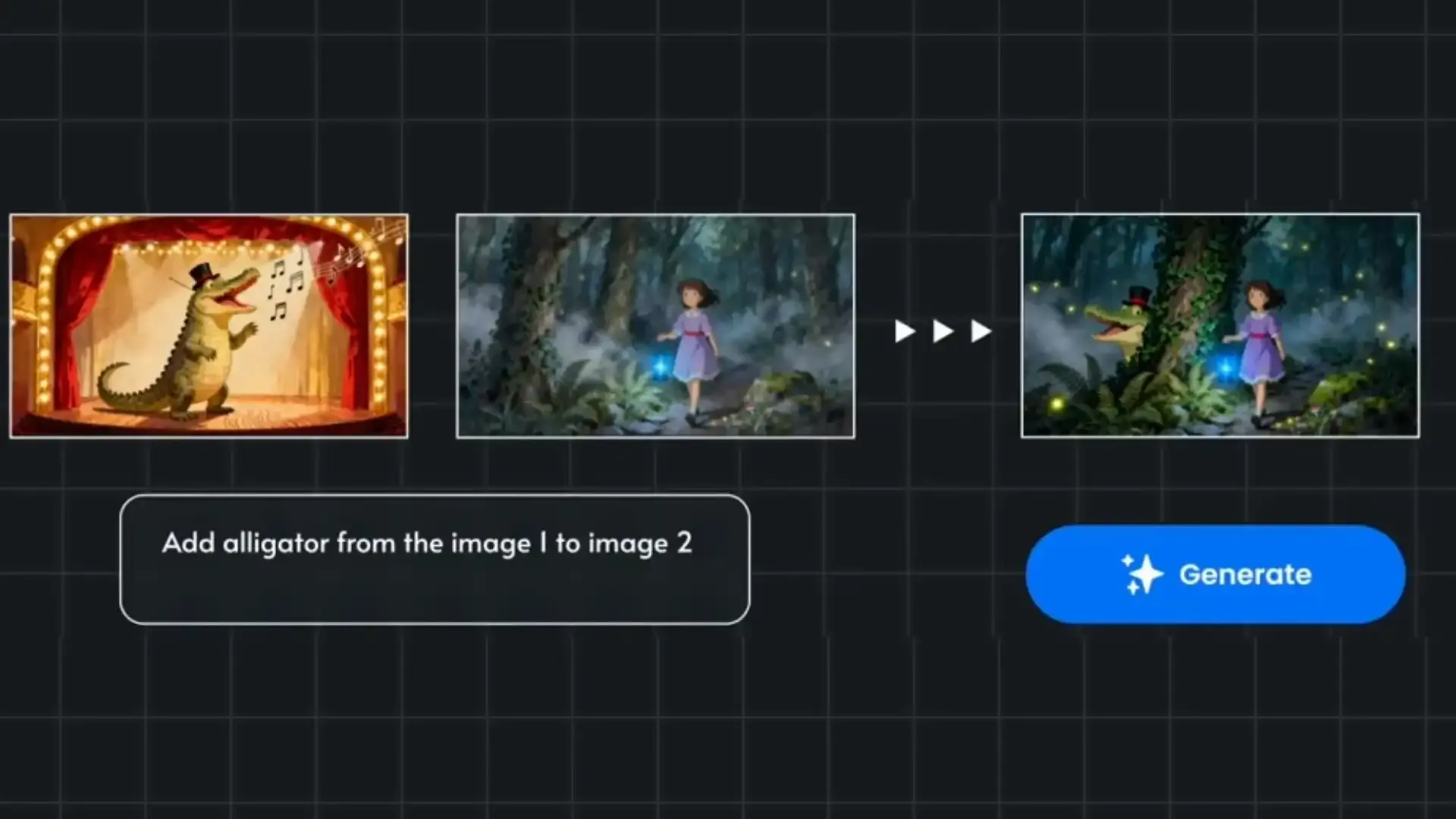
Add Objects to Photos with AI?

How to icon

1 - Upload your Image

Upload the image you want to edit
How to icon

2 - Edit Images with Prompts

Select the new image resolution and type "expand" in the prompt window.
How to icon

3 - Generate!

Click generate and wait for images to magically appear!
No credit card required
|
Trustpilot logo
Rated 4.5/5

Frequently Asked Questions

  • What is AI outpainting and how does it work?
    AI outpainting is a technique that extends images beyond their original boundaries by using artificial intelligence to generate new content. Unlike simple stretching or cropping, our AI image outpainting tool analyzes the existing photo and intelligently creates realistic content that matches the style, colors, and context of your original image
  • Can I use your AI outpainting online free?
    Yes. Every week, you get free credits. Start with our free AI image outpainting online and try our AI edit photo free features.
  • What's the difference between enlarging and outpainting?
    When you AI enlarge photo, you're making the existing content bigger. AI outpainting actually generates new content beyond the original frame. Our AI image extender tool creates additional scenery, background, or foreground elements that weren't in your original shot, essentially expanding the canvas rather than just scaling it up.
  • What image quality does the tool support?
    Our AI make picture bigger tool supports high-resolution outputs up to 4K, ensuring your expanded images maintain professional quality. Whether you're working on social media content or print materials, the results stay sharp and detailed.
  • Do you support AI image outpainting online for landscapes?
    Absolutely. Our AI landscape outpainting generator widens skies, beaches, forests, and cityscapes while keeping depth and color consistent.
  • How do I expand images with AI online?
    Just upload your photo to our online AI image expander, select how much you want to extend each side, and let the AI work its magic. The process takes seconds, and you can download your expanded image immediately. No software installation or technical knowledge required
  • I’m searching for ai outpainting online free tools. Any tips?
    Many start by testing with small projects to learn the flow. If you want pro control and crisp 4K results, TensorPix is built for quality and speed.

Check out more use cases

  • 4K AI Image Generator

    Create stunning 4K images with AI. Generate, edit, and remix your ideas into art, photos, and designs online.

  • AI Image Editor

    Turn any picture into polished art using smart, simple tools. Edit image with AI prompts, retouch in one click, and create 4k results in your browser.

  • AI Object Removal & Background Changer

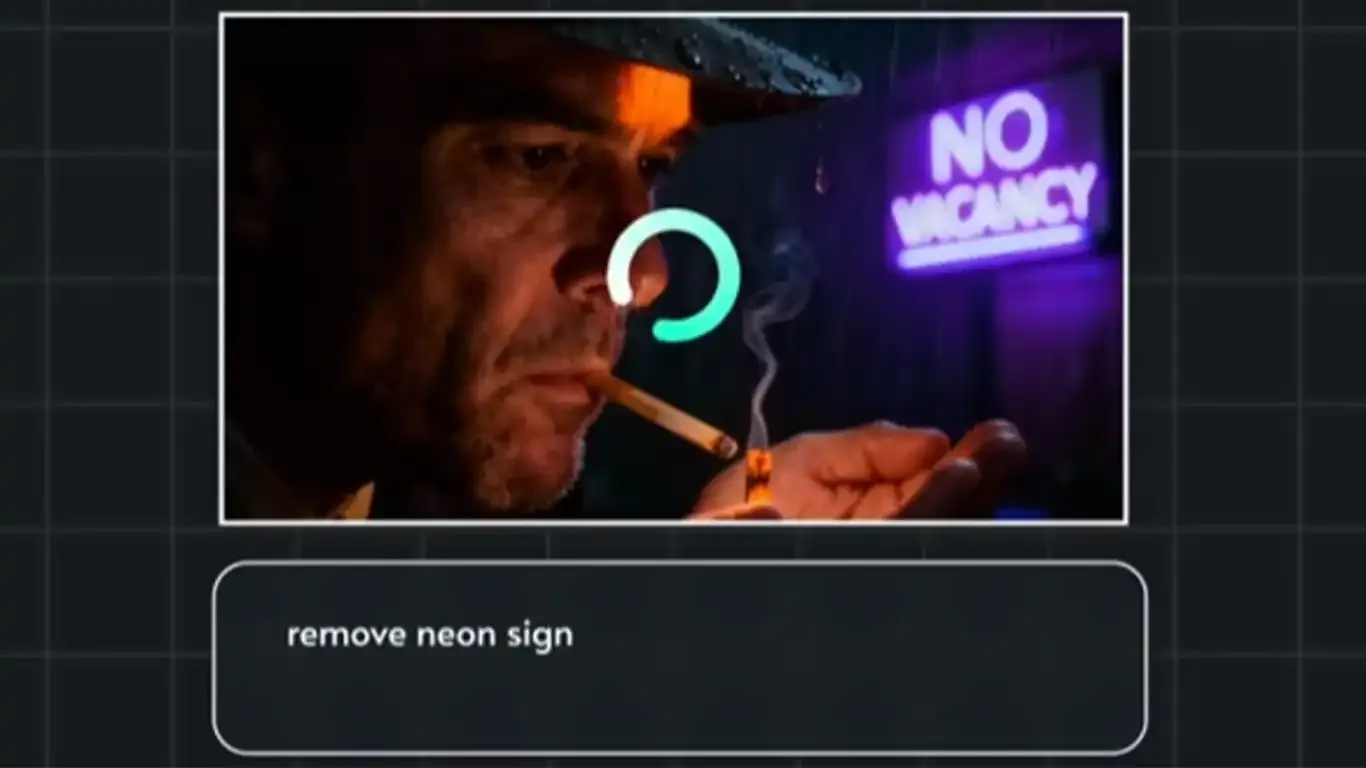
    Remove unwanted objects online, erase people from photos, and change backgrounds in seconds with AI.

  • Add Objects to Photos with AI

    Move people between photos, merge subjects into new backgrounds, and insert any object you imagine.

Read the latest blog posts

Check out user testimonials

  • Read this review on Trustpilot
    I have used the color restore and AI stabilization on a few dance videos for social media and I am really happy with the results, I uploaded 4K video so it takes a bit of time, but I like that they send me an email and enhance in the background so that I don't have to wait around.
    Tanya Ariana Bendis
    Marketing Director
  • It’s a great tool for increasing resolution and upscaling, especially for those without the necessary hardware. Since AI training and model usage can be prohibitively expensive for most, packaged online tools like TensorPix Enterprise offer a cost-effective and accessible solution. It’s a great option for anyone looking for a simple and straightforward way to use AI video enhancers without prior experience!
    Zeng Chao
    FX Artist
  • Read this review on Trustpilot
    Fantastic AI video upscaler with easy to use UI! Significantly better results than with Topaz and am able to process multiple videos at once, resulting in major time savings. A life saver.
    Anne Spalter
    Owner of Anne Spalter Studios
  • As AI evolves and improves, TensorPix will likely expand, offering even more sophisticated insights and analyses to filmmakers and studios like ours. For now, the power of TensorPix AI serves as a testament to the innovative ways technology can be utilized to strengthen the human experience and our connection to the stories we love. It allows us to enhance old looking films and show them to our audience in high quality with nearly to no artifacts. TensorPix is by far the best web-based video and photo enhancement service and is going to change the filmmaking world. Do yourself a favor and use it!
    Matan Uziel
    Executive Producer

Explore more Products from TensorPix

  • AI Video Quality Enhancer

    Upscale videos up to 4K and enhance video quality. 100% online and easy to use.

    Enhance Videos
  • Real Estate Video Maker

    Turn listing photos into polished real estate videos in 10 minutes. Get cinematic videos without touching a video editor.

    Create Listing Video
  • TensorShots

    Auto Social Media Video Creator. Turn photos, clips, listings, and brand assets into ready-to-edit short videos for social media.

    Create Videos
  • Online Video Compressor

    Reduce video file size without compromising quality. Save disk space, send, and upload videos faster.

    Compress Videos
  • AI Image Generator

    Generate photos, artwork, illustrations from text descriptions in 4K. Edit images with simple prompts.

    Generate Now
  • 4K AI Video Generator

    Turn your ideas into 4K videos from text and image inputs using simple prompts. No technical expertise needed.

    Generate Videos
  • Upscale & Enhance API

    Add video enhancing and upscaling into your app or product via API Integration.

    Tell me More

Ready to make better video content?

Join millions of creators already using TensorPix