Best AI real estate video makers: What can you get for free?
Compare free allowances, watermarks, and paid plans for the best AI video tools used in real estate. Learn what you can test, export, and publish.
7 minute read
You can explore AI property videos without immediately committing to another subscription. But how far the free access takes you: a finished listing video, a watermarked test, or a preview you can’t publish.
This guide compares tools used by real estate agents and marketeers. Some specialize in real estate, while others offer broader creative tools that can be used with property photographs.

Free access at a glance
A free video generation may produce one short scene rather than a complete property presentation. Listing-video builders combine several images and marketing elements, while general generation tools may leave you to assemble clips, add captions, source music, and export the finished video. Compare the work remaining alongside the free allowance.
| Tool | Free allowance | Renewal | Export and publishing |
|---|---|---|---|
| Higgsfield | Limited access; zero included credits | No recurring credits confirmed | Free export and commercial terms need confirmation |
| TensorPix | Signup credits; six photos per project | Weekly login credits | Confirm free export and commercial-use conditions |
| Amplifiles | 1,200 credits; approximately one eight-photo video | Signup allowance | 1080p advertised; confirm free-output terms |
| Artlist | One video, two images, three voiceovers, two music tracks and 2,000 Studio credits | Limited trial allocation | Trial AI outputs cannot be downloaded or published |
| AutoReel | Two watermarked videos | Monthly | Watermark removal requires payment; confirm free commercial rights |
| Kling AI | Promotional credits; amount varies | Not confirmed | Watermark removal and commercial use are paid benefits |
| Rendy | No public free allowance verified | Not applicable | Ask about trial access and publishing terms |
Higgsfield
Use Higgsfield to create individual scenes and explore visual treatments. Depending on the workflow, you may still need to assemble clips, add property information, captions, music, and branding, then export the finished presentation.
Higgsfield offers limited access to selected tools, with zero included credits listed in its pricing explainer. Check your account for the models and generation options currently available.
Higgsfield’s official pricing explainer lists Starter at $15 USD per month with 200 credits per month.
Test
Explore the available interface and image tools, then check which paid model supports the property-video task you actually need.
Kling AI
Kling can animate individual property photos into video scenes. For a complete listing presentation, allow time to select and assemble those scenes, add verified captions or narration, choose suitable music, and prepare the final export.
A Basic account exists, users can get occasional promotional credit rewards. The plan comparison reserves commercial use and watermark removal for paid membership.
The Standard offer displayed $6.99 for the first month, then $8.80 monthly, with 660 credits. Pro displayed $25.99 initially, then $32.56, with 3,000 credits.
Test
Animate one exterior photograph with restrained movement. Inspect windows, rooflines and boundaries before spending credits on more scenes.
Amplifiles
Amplifiles combines multiple property images into a listing presentation with narration, captions, and branding. Review those elements and the generated motion before exporting; its advertised eight-image allowance describes a fuller project rather than eight separate finished videos.
New accounts receive 1,200 credits without supplying a credit card, which approximately covers one video using eight animated images. Its published offer includes 1080p output, while the videos won’t have watermarks on any
Pay-as-you-go animation costs $1.50 USD per image without a monthly commitment. A seven-image video therefore costs $10.50 before any additional chargeable work.
Test
Build a short introduction covering the exterior, living area, kitchen, bedroom and outdoor space. Leave room in your testing plan for changes rather than spending every credit on the first attempt.
Artlist
Artlist’s single free video generation lets you evaluate a scene, while its other trial tools let you explore narration, images, and music. Creating a listing presentation may require assembling those elements, adding property information, and completing an export under an eligible paid plan. Free trial AI generations cannot be downloaded or used in projects.
The published allowance includes one AI video generation, two images, three voiceovers, two music tracks and 2,000 credits specifically for Studio. No payment details are required, and the account has no time limit. AI trial generations can’t be downloaded or used in projects. Watermarked music and footage downloads are for preview purposes only.
The displayed AI Starter option costs $11.99 USD per month, billed annually, with 16,500 credits renewed monthly. This is an annual commitment rather than a month-to-month subscription.
Test
Explore a narration style and visual approach before purchasing. Treat this allowance as an evaluation session rather than a free publishing workflow.
AutoReel
AutoReel assembles property photos into listing videos and provides tools for captions, music, and branding. Check the sequence, property details, and generated scenes before exporting. Videos produced through its recurring free plan carry a watermark.
Besides the freemium plan with two watermarked videos, AutoReel separately offers a seven-day paid-plan trial with three watermark-free videos. That trial requires attention to billing.
Plans start from $30 per month billed yearly for 20 videos annually, Growth at $45 for 50, and Pro at $82 for 100. Quarterly billing is also available.
Test
Use the recurring allowance to try two different properties. A spacious living room and a smaller, reflective kitchen can reveal different strengths and problems.
Rendy
Rendy targets property photographers and media businesses producing videos from listing photos.
No public free generation allowance, but its prospective users can apply for access.
Rendy lists a one-time purchase at $49 USD for one listing, defined as six videos created from 20 photos, with no monthly commitment.
Test the finished property video
When comparing free AI real estate video makers, use the same property and the same brief. Choose a few representative photographs, accurate listing details and one intended channel.
Then check:
- Can you download the finished file?
- Can you publish it for property promotion?
- Does it carry a watermark?
- How much additional editing does it need?
- Do windows, fixtures, dimensions and views remain accurate?
- Does the allowance renew, expire or end after signup?
A generated scene and a ready-to-post listing video represent different amounts of completed work. Compare the time and cost required to reach the result you will actually use.
Start with a listing you already know
A familiar property makes errors easier to spot and gives the trial a practical purpose.
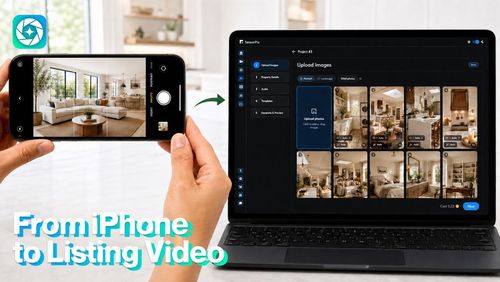
Another option for that exercise is TensorPix Property Video Maker, which combines listing photos and property details with optional narration, music and branding. The Free plan allows six property photos per project and offers additional credits through weekly login. The number of finished videos depends on settings and credit use.
Whichever tool you explore, finish one representative project before subscribing. The most useful free allowance is the one that lets you judge the complete workflow, including the final file and the terms for using it.