How to create a looping exterior-to-interior real estate video from two photos
Learn how to create a looping exterior-to-interior real estate video from two listing photos using daylight shots and AI tools.
7 minute read
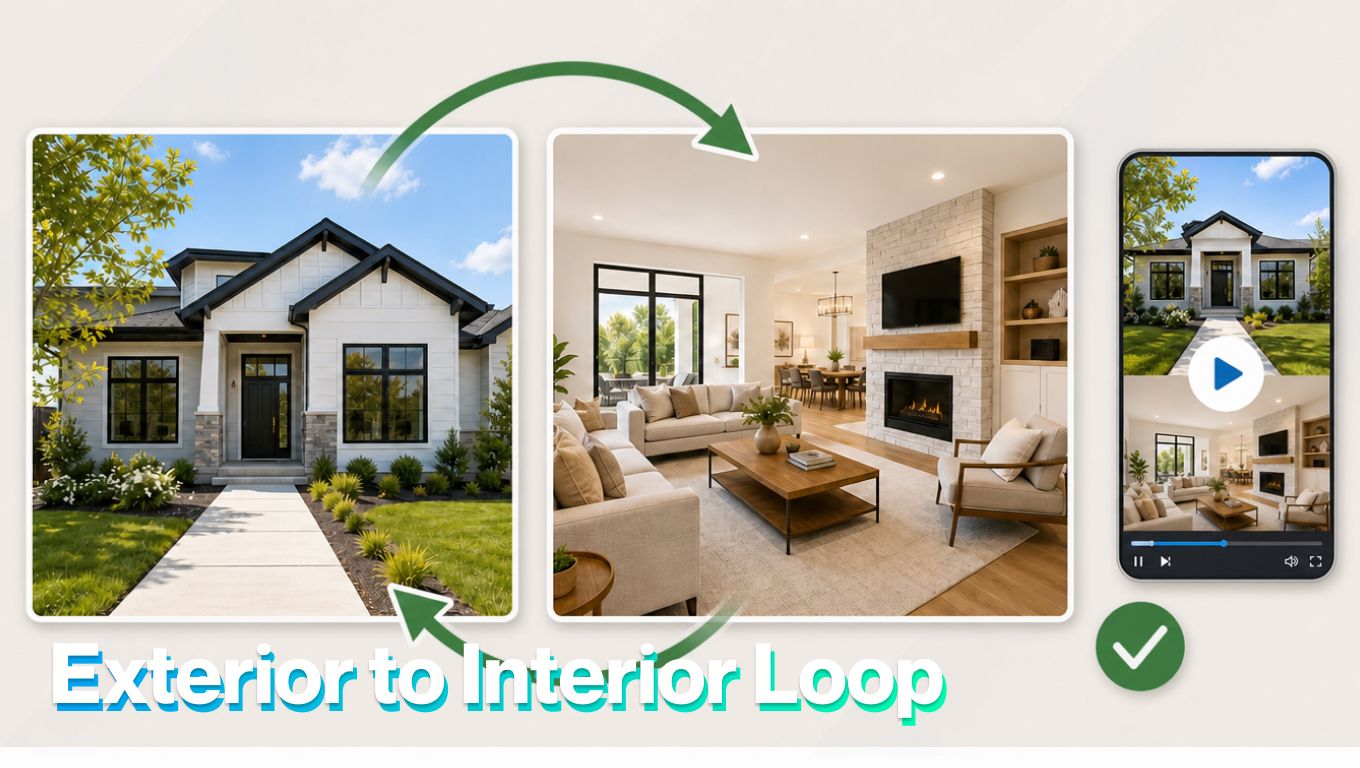
One of the strongest real estate video formats on social media starts with an exterior photo, moves into the home, reveals the main interior space, then reverses back to the same exterior starting point.
It feels like a walkthrough, but it is built from photos.
What this video format does
The format works because it gives viewers a “buyer arrival” moment. They see the home from outside, move toward the entrance, pass through the doorway, and land inside the rooms.
That reverse motion turns the clip into a smooth loop, which is perfect for Instagram Reels, TikTok, YouTube Shorts, and Facebook Reels.
The structure is simple:
- First photo: a bright daylight exterior shot of the property.
- Final photo: a polished interior shot of the main living room.
- Generated video: a forward move from exterior to interior, followed by a reverse move back to the exterior.
- That loop matters. On social media, a video that ends where it starts can encourage rewatching because the viewer doesn’t feel a hard stop. The motion resets itself naturally.
For real estate, the format repeats the two most important impressions: curb appeal and interior payoff.
When this format works best
A looping exterior-to-interior video works best when the two photos create a clear before-and-after feeling: outside the home, then inside the main payoff space. If the two images don’t connect visually, the effect can feel forced.
| Use it when | Avoid it when | Better alternative |
|---|---|---|
| The exterior has strong curb appeal | The exterior is weak, cluttered, or visually uninteresting | Start with the best interior room instead |
| The interior reveal feels like a clear payoff | The interior photo is dark, messy, crooked, or average | Use a standard listing reel or photo carousel |
| The entrance or path into the home feels natural | The two photos don’t suggest a believable movement from outside to inside | Use a slideshow-style listing video |
| You need a short social hook | You need to explain the full property layout | Use a walkthrough video or full listing presentation |
| The lighting feels consistent between both images | The exterior and interior lighting clash badly | Choose a different interior image or create separate clips |
| The home has both curb appeal and a strong main living space | The strongest selling point is a kitchen, view, backyard, or neighborhood instead | Build the video around that stronger feature |
| The clip is for Reels, TikTok, Shorts, or an email teaser | The audience needs detailed facts before visual movement | Use a carousel, landing page, or agent-led explainer |
Why daylight exterior shots work
Daylight makes the effect feel more believable.
A bright exterior photo gives the AI tool a clean starting point: sky, grass, driveway, facade, windows, landscaping, and the path toward the entrance. The clearer the first photo, the easier it is to create a smooth approach.
Daylight also builds trust. Buyers can actually see the property. There are no heavy shadows hiding the exterior, no overly dramatic color grade, and no confusing lighting shift.
The best exterior photo has:
- A clear view of the home
- A visible path, driveway, or entrance
- Clean landscaping
- Bright but not harsh sunlight
- Enough space in the frame for movement
- A strong direction toward the door
Avoid using an exterior photo where the home is too far away, blocked by trees, or shot from an angle that doesn’t suggest a natural path inside.
How to choose the interior photo
The final photo should feel like a reward.
Good final-photo choices include:
- Living room
- Great room
- Kitchen
- Entry with staircase
- Room with a view
- Luxury lounge
- Main architectural feature
The final image should be bright, straight, and uncluttered. If the interior photo is weak, the whole video loses its payoff.
How to create exterior-to-interior video using AI tools
TensorPix Property Video Maker can help turn two strong listing photos into a short exterior-to-interior video without starting from a blank editing timeline. For this format, the workflow should stay focused: one exterior starting image, one interior payoff image, one smooth transition, and one clean loop.
1. Choose the exterior starting image
Start with a bright exterior photo that clearly shows the home, entrance, path, driveway, porch, or front facade. The image should feel like a natural starting point for a buyer walking toward the property. Avoid photos where the home is too far away, blocked by trees, cropped awkwardly, or shot from an angle that doesn’t suggest a path inside.
2. Choose the interior payoff image
Pick the room that gives the viewer the best reward after entering the home. For most listings, this will be the living room, great room, kitchen, entry with staircase, room with a view, or main architectural feature. The image should be bright, straight, uncluttered, and strong enough to justify the transition.
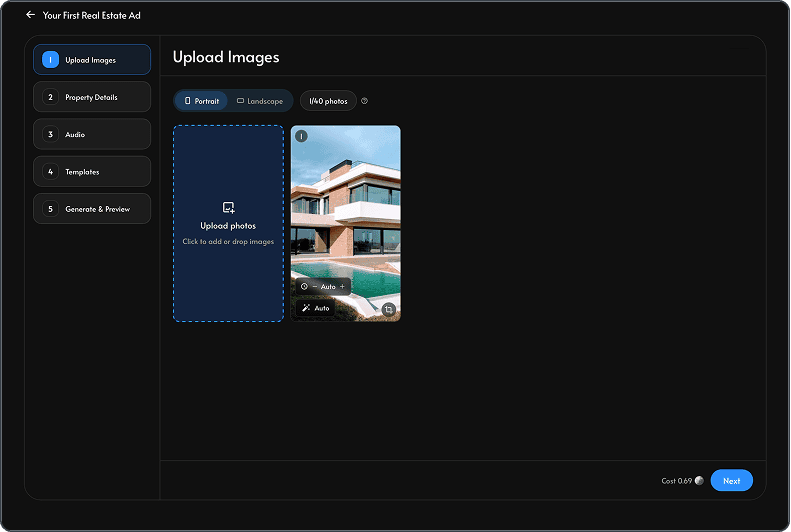
Login on the TensorPix platform, select Real Estate Video Maker
3. Match the lighting and visual style
The loop feels more believable when the two photos share a similar quality level. A bright daylight exterior and a dark interior can make the transition feel artificial. If needed, lightly edit the photos before uploading so the exposure, color, and sharpness feel consistent. Don’t alter the property itself.
4. Create the forward transition
Use the exterior photo as the starting point and the interior photo as the destination. The motion should feel like a smooth move toward the home, through the entry, and into the main room. Keep the movement simple. Too much blur, speed, or camera spin can make the property harder to understand
5. Reverse the motion for the loop
After the video reaches the interior payoff, reverse the movement back to the original exterior frame. This is what makes the clip loop cleanly on social media. The viewer shouldn’t feel a hard stop. The video should reset naturally.
6. Review for accuracy
Before exporting, check every caption, room label, property detail, price, and claim. Make sure the video doesn't imply features the property doesn’t have. AI can create a strong first draft, but the agent still needs to review it like any other listing material.
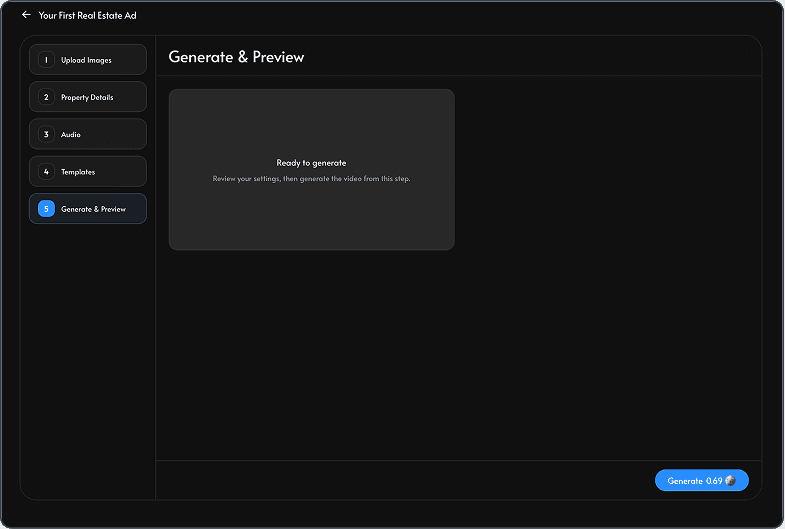
7. Generate your first video
Create the version that matches the channel. If the listing will be promoted in several places, generate more than one version and download it once satisfied with the final outcome.
Conclusion
A looping exterior-to-interior real estate video works because it turns two listing photos into a small story.
The viewer starts outside, moves toward the home, enters the main living space, then returns to the exterior starting point. That loop makes the clip feel smooth, repeatable, and built for social media. AI apps like TensorPix Property Video Maker helps connect the two into a polished property video without requiring a full walkthrough shoot.