AI virtual staging for real estate photos and property videos
Learn how to create accurate AI-staged real estate photos and reuse them in listing pages, social content, and property videos.
8 minute read
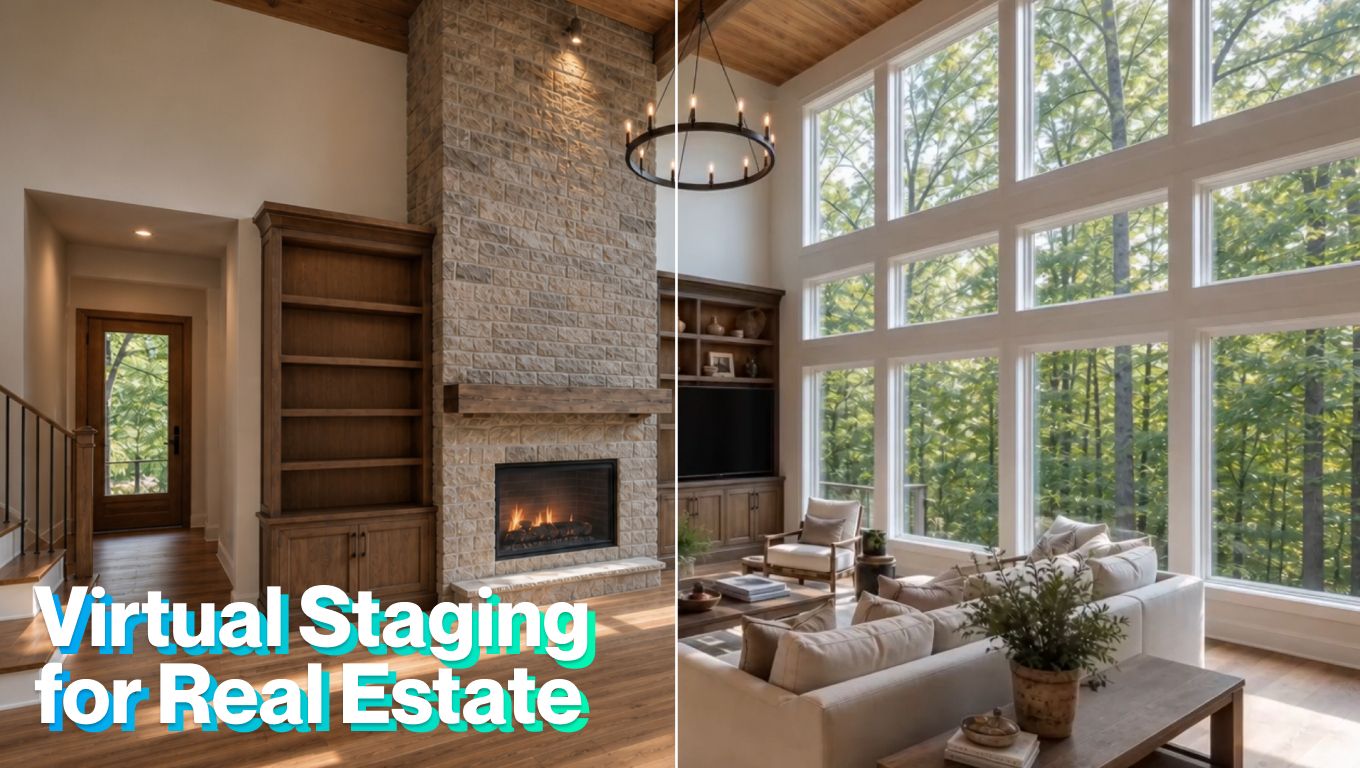
AI virtual staging can turn unprepared property photos into market-ready visuals for listing pages, social posts, and property videos. Instead of furnishing and photographing a room again, agents can stage vacant spaces, reduce visual distractions, test interior styles, and reuse the approved images across several marketing formats.
This guide focuses on execution: how to select suitable photos, make controlled edits, preserve the property’s real features. But if you are still deciding whether this approach suits a particular property, read our guide to when real estate virtual staging works and when it can backfire.
Why AI virtual staging fits a listing-media workflow
Traditional staging remains valuable, but it requires furniture rental, transportation, styling, access to the property, and coordination with photographers. These costs and logistics can make physical staging difficult to justify for every room or listing.
AI virtual staging offers a faster alternative. Once the listing photos are available, agents can create different presentations without returning to the property.
The interest is not based on novelty alone. According to the 2025 NAR Profile of Home Staging, 83% of buyers’ agents said staging made it easier for buyers to visualize a property as their future home. Living rooms, primary bedrooms, and dining rooms were the spaces most frequently staged.
The trend is moving virtual staging from a specialist editing service into a regular listing-media workflow.
What is AI virtual staging?
AI virtual staging uses image-generation and photo-editing technology to modify a real property photo while preserving its basic architecture and perspective.
The most familiar use is adding digital furniture to an empty room. However, modern virtual staging can support several other tasks:
- Removing existing furniture before restaging
- Tidying cluttered rooms
- Depersonalizing occupied homes
- Hiding loose cables and minor distractions
- Making an unprepared bed
- Testing different furniture styles
- Correcting lighting and color
- Cleaning up driveways or exterior clutter
- Visualizing different wall colors or flooring
- Preparing photos for an animated property video
Some of these changes simply improve presentation. Others show a possible future condition rather than the home as it currently exists.
The most useful ways to apply virtual staging
Stage empty rooms
Vacant rooms are the most straightforward use case. Adding correctly scaled furniture can show where a sofa, dining table, bed, or desk could fit. Furniture should support the layout rather than make the room appear larger than it is.
Declutter occupied properties
Not every property needs completely new furniture. Sometimes the existing room simply needs a cleaner presentation. Depersonalization is particularly useful when family photographs, collections, children’s items, or strong personal decor distract from the room itself.
Remove furniture and restage the room
An agent may want to remove old or oversized furniture before introducing a more suitable style. This can help when the existing furniture makes the room feel crowded or does not match the intended positioning of the property. Furniture removal should still produce a realistic empty room.
Show different interior styles
Depending on the property, agents might use:
- Scandinavian
- Coastal
- Industrial
- Midcentury
- Transitional
- Light warm modern
- Contemporary and modern
A coastal style may fit a waterfront home, while a clean contemporary setup may better support a new development. The style should help explain the property rather than impose a theme that feels disconnected from it.
Improve lighting and atmosphere
Lighting can change how clearly buyers read a space. AI-assisted light and color correction can balance an underexposed interior, reduce color casts, or create a more natural distribution of light.
Options such as bright daylight, soft cloudy light, warm evening light, cool morning light, natural twilight, or simulated HDR can help prepare images for different purposes.
Prepare exterior spaces
Virtual staging can extend beyond the interior.
Agents can clear visual clutter from a driveway, remove temporary outdoor objects, improve the appearance of existing pool water, or test how the property photographs under a different season. Landscape treatments can also visualize healthy green grass, a lower-water lawn, or artificial grass.
Use staged photos in property videos
A virtually staged image does not have to remain a static listing photo. It can become part of a wider property story.
A video might begin with the real exterior, move through virtually staged living and dining areas, show the primary bedroom, and finish with the garden or view. Slow camera movement can help buyers study the staged layout while captions identify important property details.
When virtual staging becomes misrepresentation
The safest virtual staging adds movable objects or removes temporary distractions. Risk increases when editing changes permanent features or conceals the condition of the property.
The NAR Code of Ethics requires from realtors to present a true picture in their marketing and prohibits misleading images.
Local laws and MLS policies vary, but a strong general practice is to:
- Mark every altered image as virtually staged or digitally modified
- Include the original photo for comparison
- Keep doors, windows, walls, fixtures, and dimensions unchanged
- Avoid hiding damage or undesirable property conditions
- Verify that furniture is realistically scaled
- Review every generated image before publication
- Check the applicable MLS, brokerage, and local advertising rules
In July 2026, Zillow stated that materially altered listing images should be clearly disclosed and, where possible, paired with the original image. That is a sensible standard for any listing platform.
How to use virtual staging in TensorPix Real Estate Video Maker
The virtual-staging tools in TensorPix Real Estate Video Maker are organized around common property-preparation tasks.
1. Start a property video project
Log in to TensorPix, and open the Property Video Maker. Create a new project, then upload your listing photos or import the available media from a supported property listing.
2. Add the strongest listing photos
Place the most important images first or import them directly from Zillow: the exterior, main living area, kitchen, primary bedroom, outdoor space, or view. Avoid dark, cluttered, repetitive, or heavily edited photographs. TensorPix uses the selected images and property details to prepare the first video draft.
3. Prepare the furniture and room setup
Select the image you want to make changes, and click on Edit button to get access into Virtual Staging section Choose the treatment that matches the condition of the room. You can remove existing furniture, tidy the space, hide cables, make the bed, or depersonalize an occupied room.
Make one purposeful change at a time. This makes it easier to review what the AI modified.
4. Select a furniture style
For empty or cleared rooms, choose a style such as Scandinavian, coastal, industrial, midcentury, transitional, light warm modern, or contemporary.
Apply a consistent style across connected rooms so the property video feels like one home rather than a collection of unrelated concepts.
5. Adjust the lighting
Use light and color correction for a natural improvement. Other options include simulated HDR, bright daylight, soft cloudy light, warm evening light, cool morning light, night lighting, and natural twilight.
Select lighting that remains believable for the room and matches adjacent scenes.
6. Add custom instructions
Use custom instructions when the available presets do not describe the intended result. Be specific about what should change and what must remain untouched.
For example: “Add a neutral contemporary living-room setup while preserving the windows, fireplace, floor, wall color, and room dimensions.”
7. Review for accuracy
Before exporting, check every caption, room label, property detail, price, and claim. Make sure the video doesn't imply features the property doesn’t have. AI can create a strong first draft, but the agent still needs to review it like any other listing material.
8. Generate your first video
Create the version that matches the channel. If the listing will be promoted in several places, generate more than one version and download the final version once you are satisfied.
Conclusion
Virtual staging in real estate is most valuable when it removes a visualization problem. It can help buyers understand an empty room, see past distracting furniture, compare design styles, or imagine how a property could function. Used with restraint, it can help agents present a home’s potential without losing sight of the property buyers will actually visit.